Everything you need to make AI outputs presentation-ready
Generic copy-pasting strips formatting and ruins math equations. ChatToPDF preserves everything.
Rich Text & Math
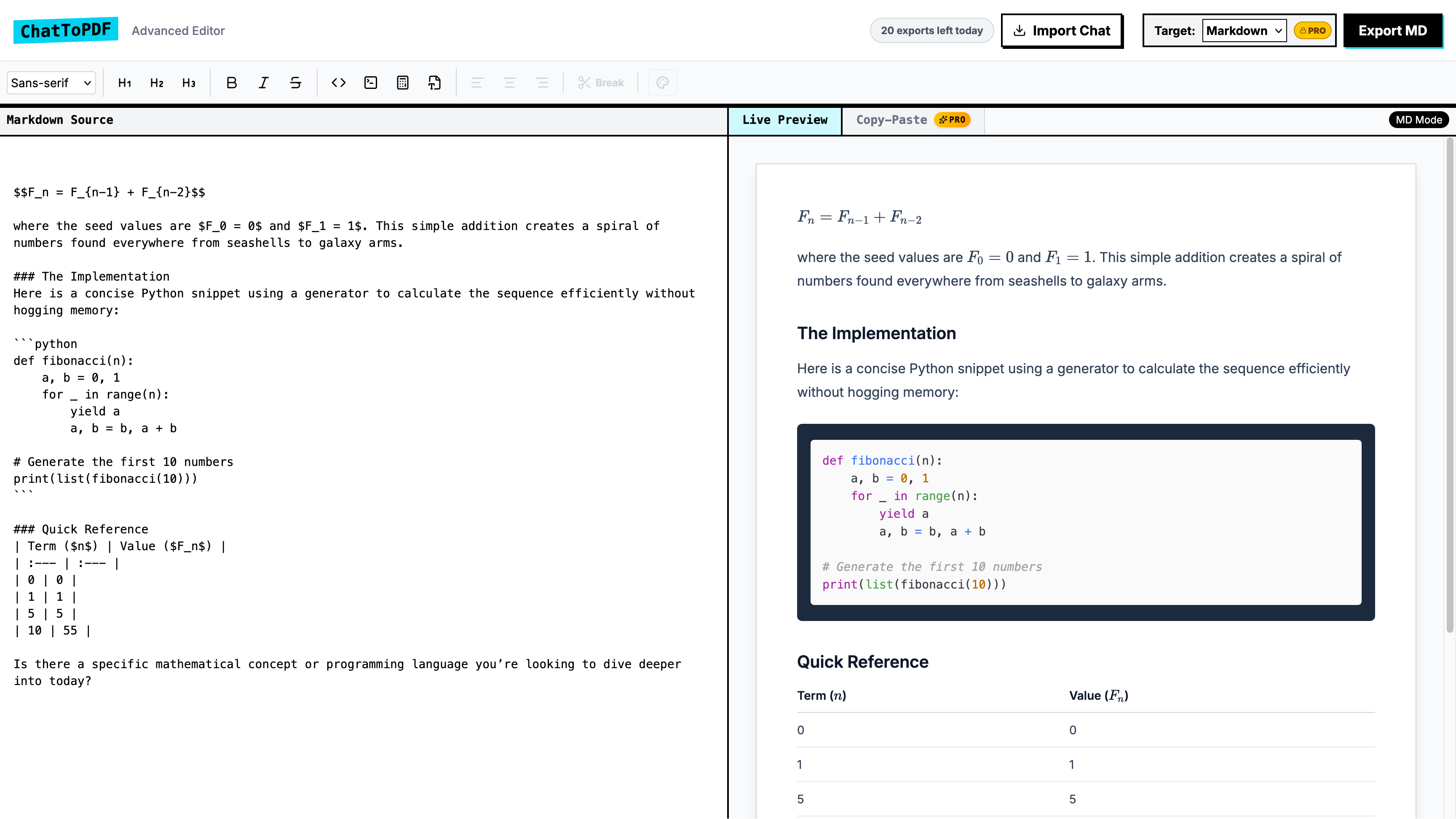
Native support for KaTeX and MathJax. Equations render perfectly.
Code Formatting
Syntax highlighted code blocks for popular programming languages.
Privacy First
Your conversations are processed securely and never stored on our servers.
Copy-Paste Ready
Export directly to your clipboard for easy pasting into Google Docs or Word.
How it works
Copy & Paste
Paste your chat or dump raw markdown output directly into the editor.
Edit & Align
Use our comprehensive editor to add page breaks, adjust alignment, and fine-tune tables.
Export Perfectly
Download as a Word document, PDF, ODT, or perfectly formatted Markdown.
Simple, transparent pricing
Start formatting for free, upgrade when you need professional exports.
Free
Perfect for quick, basic formatting needs.
- 5 exports per day
- Markdown, HTML & PDF (watermarked) export
- Basic editor features
Pro
For professionals who need perfect documents.
- Export to Word (.docx), PDF & ODT — watermark-free
- Unlimited daily exports
- Copy-Paste Formatter for Google Docs & Word
- Priority support
Frequently Asked Questions
Everything you need to know about converting AI chats to PDF, Word, and more.
How do I convert a ChatGPT conversation to PDF?
Can I export Claude AI responses to Word?
Does ChatToPDF preserve math equations and code blocks?
Is ChatToPDF free to use?
What AI platforms does ChatToPDF support?
Convert any AI chat to a professional document
Choose your AI platform to learn more about converting your conversations.